
Sidebar
The Client Portal has a sidebar that your clients use to navigate between sections. Some menu items are added automatically when a module is enabled – for example, the helpdesk module adds a Tickets link to the sidebar.
You can easily add, remove, and change menu items using the menu editor in Settings → Portal Sidebar.
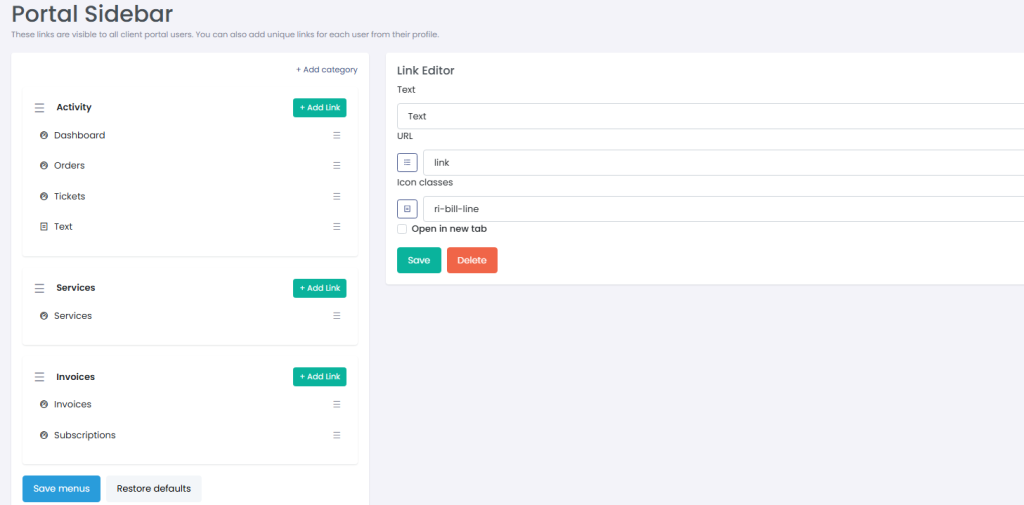
To add a custom menu item, specify the link text, URL, and icon. Please use relative URLs to link to your internal pages (e.g. /portal/onboarding) but use a full URL for external resources (e.g. https://demo.agency/blog/).
Icons in DSP CRM are powered by Font Awesome. Simply head to their library here and copy the class of any icon you want to use for the link.
If you’ve used the template editor to add a custom portal page, you can choose it from the Pages drop-down in the Link URL field.